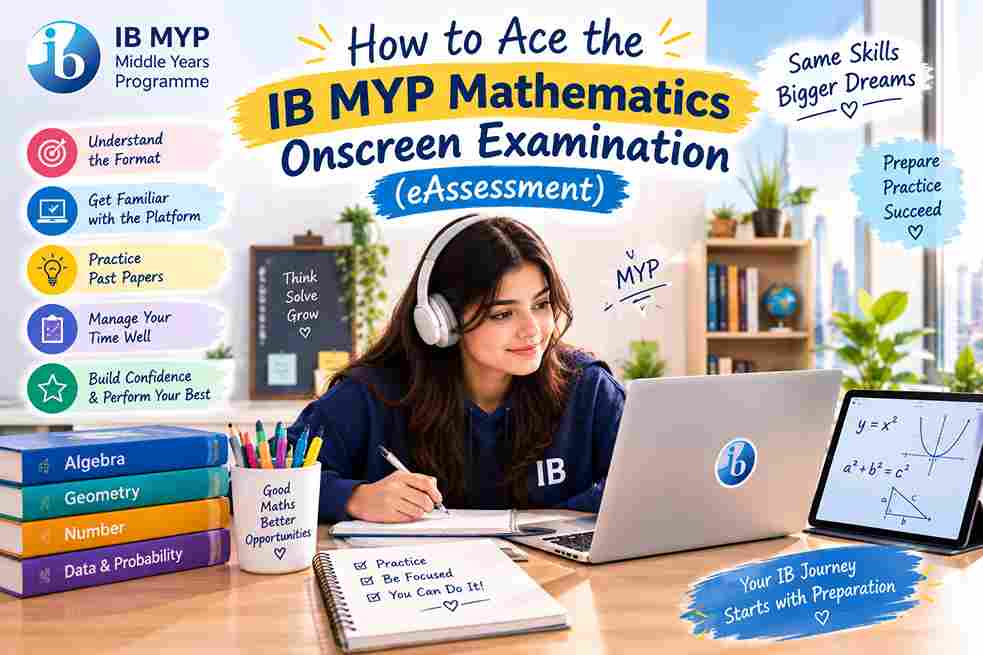
How to Ace the IB MYP Mathematics Onscreen Examination (eAssessment)
Last Updated: October 2026 | By EdFlik Education Team
For students completing the International Baccalaureate (IB) Middle Years Programme (MYP), the transition from traditional paper-based middle school assessments to the computer-based MYP Mathematics Onscreen Examination (eAssessment) marks a major milestone. Taken at the end of Year 5 (Grade 10 / Year 11), the MYP Math eAssessment is a rigorous, 2-hour onscreen examination designed to test not only computational fluency, but also your ability to apply mathematical reasoning, use digital calculation tools, and communicate complex problem-solving steps in an interactive digital environment.
Every exam session, thousands of students lose valuable marks not because they don't understand core mathematical concepts, but because they struggle with the onscreen interface, fail to manage their time across multi-part interactive questions, or neglect the rigorous communication standards mandated by the IB assessment criteria.
In this comprehensive, exam-focused masterclass guide, our expert IB educators break down the eAssessment structure, demystify onscreen calculator tools, explore core syllabus strands, and provide a step-by-step strategy to help you secure a top grade (Level 6 or 7).
Part 1: Deconstructing the MYP Mathematics eAssessment Format
Unlike traditional examinations that focus solely on final numerical answers, the IB MYP eAssessment evaluates mathematical proficiency across four interconnected assessment criteria, each weighted equally (25% each):
                   IB MYP MATHEMATICS eASSESSMENT CRITERIA
                                     |
        +----------------------------+----------------------------+
        |                            |                            |
  CRITERIA A: KNOWLEDGE        CRITERIA B: INVESTIGATING    CRITERIA C: COMMUNICATING    CRITERIA D: APPLYING
  • Simple & complex           • Following mathematical     • Using appropriate math     • Real-world context
    computational tasks and      patterns, conjecturing       language, symbols, tables,   modeling, selecting
    standard algebraic methods.  rules, and generalizing.     and clear working steps.     strategies & evaluating.
1. Criterion A: Knowing and Understanding (25%)
- What it tests: Direct computational fluency, algebraic manipulation, solving equations, and applying standard mathematical algorithms.
2. Criterion B: Investigating Patterns (25%)
- What it tests: Exploring numerical or geometric patterns, testing conjectures, organizing data into structured tables, and formulating general algebraic rules.
3. Criterion C: Communicating (25%)
- What it tests: How clearly you present your mathematical reasoning using proper notation, correct terminology, labeled diagrams, and logical step-by-step working out.
4. Criterion D: Applying Mathematics in Real-Life Contexts (25%)
- What it tests: Solving authentic, multi-step word problems set in real-world scenarios, selecting appropriate mathematical models, and interpreting whether your numerical solutions make logical sense.
Part 2: Mastering Onscreen Exam Tools and Software
The MYP Mathematics eAssessment is delivered via a secure, specialized browser environment. Success requires absolute familiarity with the built-in digital tools:
                      ONSCREEN EXAM TOOLKIT & NAVIGATION
                                         |
        +--------------------------------+--------------------------------+
        |                                                                 |
BUILT-IN DESMOS GRAPHING CALCULATOR                     DIGITAL EQUATION EDITOR
• Used for graphing functions, finding roots,           • Enter fractions, exponents, radicals,
  intersections, and statistical regressions.             and matrices cleanly without formatting errors.
1. The Onscreen Desmos Calculator
The IB embeds the powerful Desmos graphing calculator directly into the onscreen platform for relevant sections of the exam.
- Pro Tip: Do not wait until exam day to touch Desmos. Practice using the online Desmos calculator throughout your MYP Grade 9 and 10 coursework so you can instantly find function roots, maximum/minimum turning points, and intersection coordinates under timed conditions.
2. The Digital Equation Editor
When answering open-response questions, you will use the onscreen equation palette to format fractions, exponents, square roots, and matrices. Practice typing equations rapidly using keyboard shortcuts rather than clicking every symbol with your mouse to save critical minutes.
Part 3: The 4 Core Branches Tested in the eAssessment
The exam draws from four major mathematical branches outlined in the MYP curriculum framework:
                         CORE MYP MATHEMATICS BRANCHES
                                         |
        +--------------------------------+--------------------------------+
        |                                |                                |
 1. NUMBER & ALGEBRA              2. GEOMETRY & TRIGONOMETRY       3. STATISTICS & PROBABILITY
 • Indices, standard form,        • Pythagoras theorem, 3D shapes, • Mean, median, mode, cumulative
   surds, algebraic fractions,      circle theorems, trigonometry    frequency, box plots, and
   linear & quadratic functions.    (sine/cosine rules), vectors.    theoretical/experimental probability.
Part 4: Step-by-Step Problem-Solving Framework for Onscreen Exams
When tackling multi-part onscreen questions, execute this 4-step digital exam strategy:
                    THE 4-STEP ONSCREEN PROBLEM-SOLVING PROTOCOL
                                         |
  Step 1: Read the Prompt Carefully   ---> Identify what is given and what must be found
  Step 2: Utilize Scratch Paper       ---> Outline your algebraic steps or diagram on paper first
  Step 3: Execute via Digital Tools   ---> Input calculations into Desmos or equation editor
  Step 4: Verify Real-World Context   ---> Check if your final numerical answer makes logical sense
Part 5: Top 4 Traps That Cost Students Marks in MYP Math eAssessments
- Forgetting to Show Intermediate Working: Typing only the final numerical answer into an open-response box. Under Criterion C (Communication), examiners award marks for clear, logical working steps. Always write your intermediate steps clearly on your rough working paper and transfer key stages onto the screen.
- Misinterpreting Real-World Constraints: Calculating a mathematical answer (e.g., finding that a bus needs $4.2$ tires) and failing to round up or down based on real-life logic (you cannot buy $0.2$ of a tire!).
- Rounding Too Early in Multi-Step Calculations: Rounding decimal values midway through a geometry or trigonometry problem, leading to compounding rounding errors in your final answer. Always store full calculator values and round only at the very end.
- Inefficient Time Management: Spending 20 minutes stuck on a single complex Criterion B investigation question while leaving easier marks blank in subsequent sections. Keep a close eye on the onscreen timer!
Preparing for your IB MYP Mathematics eAssessments and aiming for a Level 7? EdFlik connects international school students globally with expert, 1-to-1 online IB math tutors, helping you master onscreen Desmos tools, investigation patterns, Criterion C communication, and timed past-paper practice. Book a Free Demo Class Today!
Frequently Asked Questions (FAQs)
Q1: How long is the MYP Mathematics eAssessment?
Ans: The MYP Mathematics onscreen examination typically lasts 2 hours, during which students complete a series of interactive computer-based tasks testing all four assessment criteria.
Q2: Am I allowed to bring a handheld calculator into the exam?
Ans: No. The MYP mathematics eAssessment is fully onscreen, meaning all required computational and graphing functions are handled by the secure, built-in digital calculation tools (such as the Desmos graphing calculator and scientific calculator embedded in the exam platform).
Q3: What is the difference between MYP Standard Mathematics and Extended Mathematics eAssessments?
Ans: Standard Mathematics covers core foundational MYP math concepts suitable for all students. Extended Mathematics includes additional advanced topics (such as advanced trigonometry, functions, vectors, and complex algebraic proofs) designed for students preparing to enter IB Diploma Programme Higher Level (HL) Mathematics.
Q4: How does EdFlik support IB MYP Mathematics students?
Ans: EdFlik connects international school students worldwide with vetted, expert 1-to-1 online tutors specializing in IB MYP and DP Mathematics. Our personalized coaching focuses on mastering onscreen exam interfaces, solving investigative patterns, improving mathematical communication, and building exam confidence.